

Real and design storms
Replay a storm from the weather record, or run the 10-year and 100-year storm.
Use AI across your workflow to analyze survey data, run simulations, and build reports.
Replay a real storm or plan for the next one. Ask the AI where water stands, then check the answer on the map.
Replay a storm from the weather record, or run the 10-year and 100-year storm.
Click anywhere to read depth, flow and the ground that drains to it.
Place an inlet, a pipe and an outfall, and check flow against capacity before anyone digs.
Add your survey and the client’s question, template, or statement of work.
Use the tools or work with AI to run simulations and inspect the results.
Review the findings, then share a PDF or an interactive report.
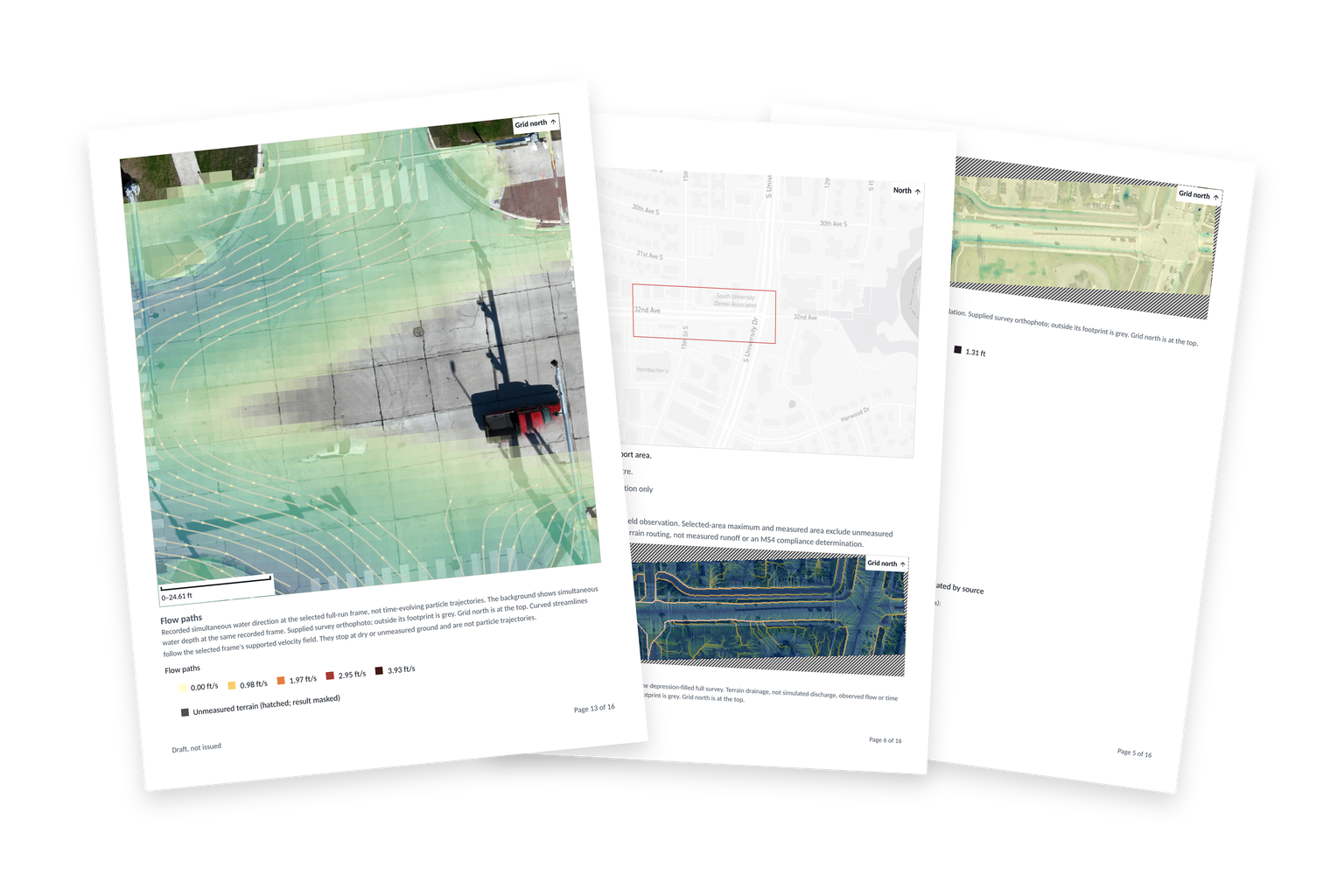
Site map, flow paths and water depth for the 32nd Avenue survey, each with its source.
Survey runs on BaseState. Explore the platform.
Use your own compute. Add cloud compute when you need it.
Available by invitation. Join the waitlist. Already have an account? Log in.
For one user working in the browser.
For one user, with desktop simulation.
Individual credit baselines, plus a shared team pool.
Basic and Pro include orthomosaics, terrain, browser-based flood simulation, and AI throughout the workflow. Local simulation does not consume cloud simulation credits.
Run fully headless workflows, with on-premises compute planned around your operation.
Custom deployment, storage, and credit allowances. Invoiced billing.
Review your price and payment schedule before paying. Monthly payments start after any remaining trial; annual payments are billed upfront. Subscriptions renew automatically until canceled. Payments are non-refundable except where required by law.
Already subscribed? Open Manage billing in BaseState for invoices, payment details, and cancellation through Stripe.
Credits cover AI usage and simulation on cloud compute. Supported simulations running in your browser or on your own desktop do not consume cloud simulation credits. Team will include individual credit baselines alongside a shared team pool, both usable for AI and cloud simulation.
AI is available throughout the app. It can navigate, apply findings, run simulations, build reports, or work alongside you. Basic and Pro each cover one user and include credits for AI and cloud simulation. Pro adds a desktop simulation license for your own machine. Fully headless operation is an Enterprise feature, with on-premises compute planned for the workload.
BaseState Survey is by invitation for now. Join the waitlist, tell us about your work, and our team sets up your workspace.
Basic can be tried free, with no card. Our team sets up the trial, and how long it runs, when you are invited. The trial is for trying BaseState Survey, with 5 GB of storage. Real-time flood simulation is included.
Without a card, your workspace becomes read-only when the trial ends. Choose a plan and monthly or annual payments to continue. Your workspace resumes after payment is confirmed.
Uploads stop until you move up a plan. Editors can always read their own data while subscribed. No surprise charges.
To convert a trial, choose your plan and monthly or annual payments on this page. For a change to an existing paid plan, contact us. Manage billing in BaseState opens Stripe for invoices, payment methods, and cancellation.
BaseState Survey is a digital service. Payments are non-refundable, including partial periods, except where required by law. Subscriptions renew automatically until canceled. Cancel through Manage billing in BaseState; access continues until the end of the paid period.
We set custom limits and bill by invoice. Contact us.
BaseState Survey opens by invitation. Leave your details and we’ll email you when an invitation is available.
Already have access? Log inThis site is protected by reCAPTCHA. Google’s Privacy Policy and Terms of Service apply.